Disclaimer

Please, proceed carefully following the tips published in this blog, specially when Main Power is involved. I'm not responsible for any damages caused by what is written in this blog.
Thank you
Showing posts with label acquisizione dati. Show all posts

Thursday, 16 November 2017

Home Automation System - Dashboards with Grafana


I chose InfluxDB as persistence engine in OpenHAB also because it is easy to integrate with Grafana, an open source visualization suite that let us build interactive web dashboards.

I installed Grafana on my Raspberry PI3, where already run OpenHAB and InfluxDB, using the Openhabian configuration tool (openhabian-config), choosing "optional components".


Then, I'm able to reach the suite through http on port 3000.

Here you can find a very good guide about Grafana and InfluxDB setup and configuration

https://community.openhab.org/t/influxdb-grafana-persistence-and-graphing/13761#grafana-setup

The process to build dashboards is very easy...as long as you define your InfluxDB data source.


Every dashboard is a set of rows and objects; to fetch your data you have to choose among all the measurements in InfluxDB...

Here is my example dashboard where I put:

- at top left, ping time of my local network devices;
- at top right, speedtest results;
- at bottom, weather data, fetched from the OpenWeatherMap service


Monday, 28 August 2017

Home Automation System - MQTT and RF433 to monitor photovoltaic production


Now I will try to integrate my RF433 Wireless Receiver (built on Arduino with Ethernet Shield) with MQTT, just to acquire my photovoltaic production data in my future Home Automation System

I don't write nothing more about my acquisition system; this is my old post about that:

http://domoticsduino.blogspot.com/2017/02/rf-433-mhz-data-sniffing.html

Now I would like to transmit data to my MQTT broker, for the future integration with OpenHAB

So, I have to edit the code of the Arduino sketch and let it to publish messages to the MQTT broker. In this time, the receiver publishes data to a HTTP REST Web Service

Well, using Arduino IDE (the same thing used for the SONOFF firmware upload), I open the sketch and edit the code.

I omit the technical details about the code because it's not the purpose of this post, but if you are interested in it, write me an email; I will be happy to share my code with you.

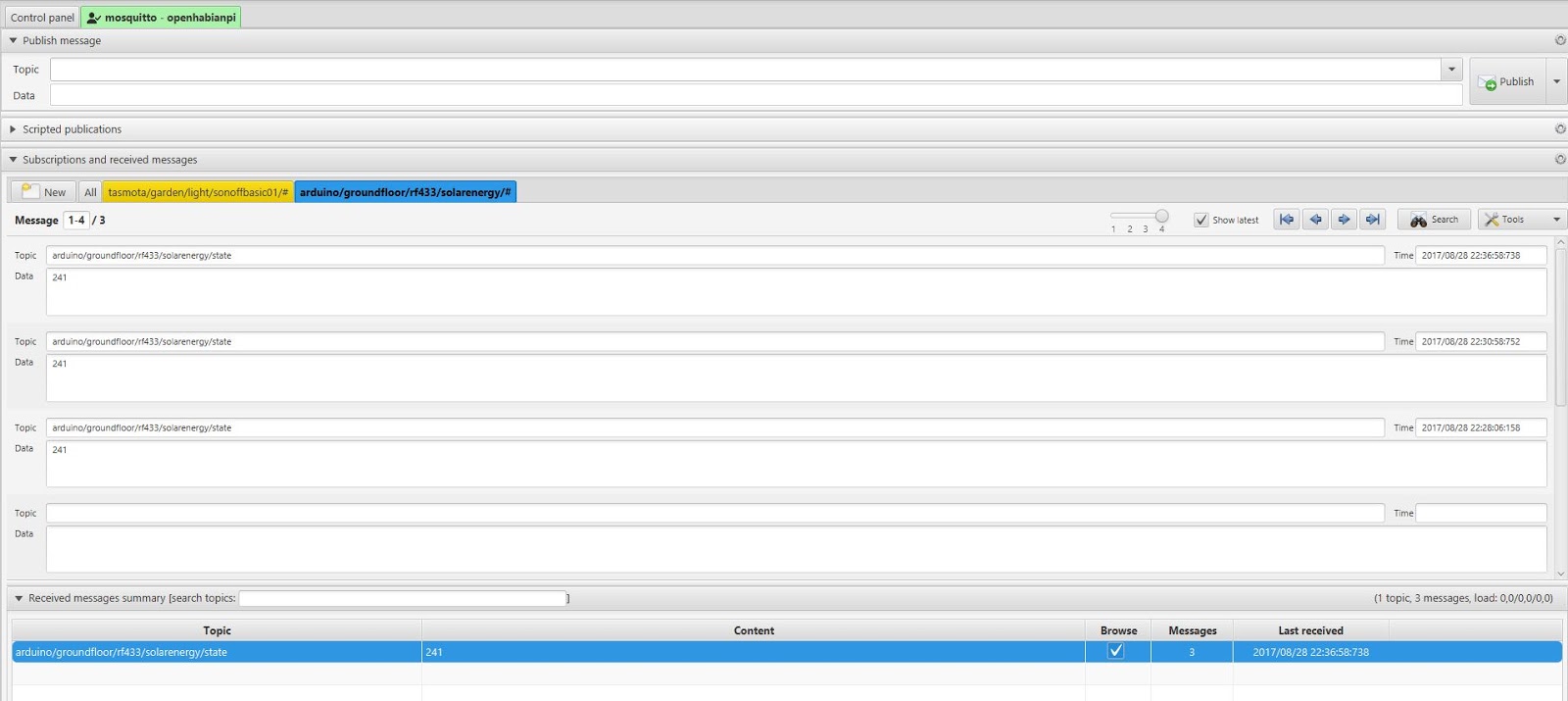
I chose the following MQTT topic:

arduino/groundfloor/rf433/solarenergy/state

I followed the same naming convention as the SONOFF :

[device]/[zone]/[type]/[data id]/state

The content of the message is simply the value of the production in Watt.

Here are the published messages, through mqtt-spy:


And here is the receiver:


Currently it's "mute", but the next step would be adding a led to monitor its status and eventually some environmental sensor...

Stay tuned...